
Color by Number for Kids: How the Mode Works in Paint Pals
Color by Number is the most popular way to play Paint Pals, and it is often the first mode children try. The idea is old and simple — every space in a picture has a number, and every number matches a color — but a game can make it smoother than paper. This guide explains each part of the mode, plus its sister mode Pixel Art, so you can help your child get the most out of it. Open Paint Pals and follow along.
The basics
The numbered palette
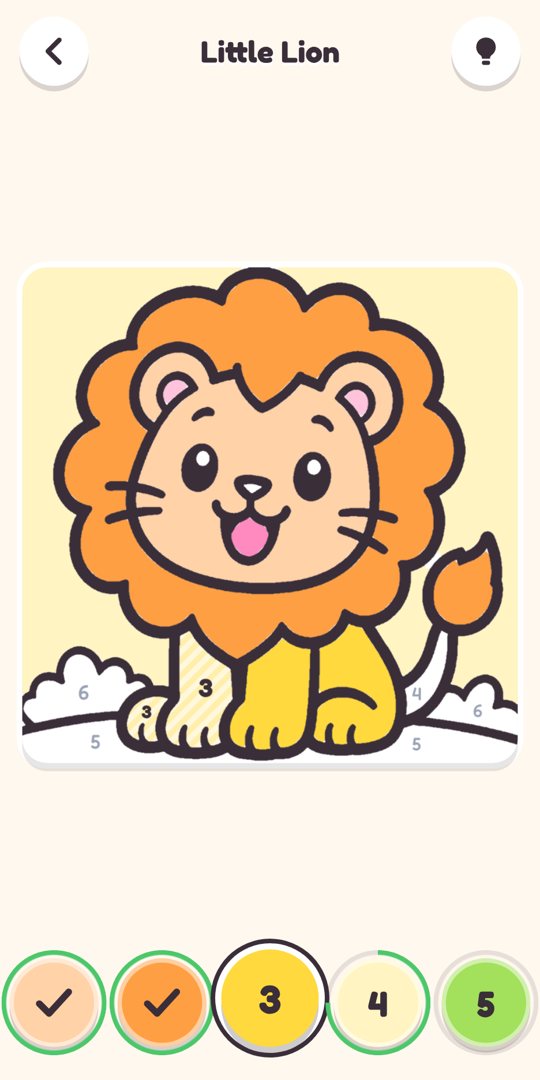
At the bottom of the screen is a row of round color buttons, each showing a number. The selected color is lifted and outlined. Around every button, a thin ring fills up as that color is completed, so children can see their progress without counting.
Striped hints
When a color is selected, every space that needs it is lightly striped in that color. The number in those spaces also becomes darker. Together, these two signals help children who are still learning their numbers find the right spaces.
Tapping and swiping
Tapping a matching space fills it with a short splash that spreads from the point of the tap, with a soft pop sound and a little vibration on phones. Tapping a space with a different number shows a bubble with the correct number and wiggles the matching color button — a gentle hint rather than a penalty. Swiping across the picture fills every matching space under the finger, which is great for backgrounds.
Automatic color switching
When the last space of a color is filled, its button shows a green check and the game selects the next unfinished color. Children can keep going without hunting through the palette.
Help for tricky spaces
The light-bulb hint
Some pictures have small details, such as a cat's ears or a crab's eyes. The light-bulb button finds the smallest remaining space of the selected color, zooms in if needed, and shows a golden ring around it.
Zoom
Two fingers pinch to zoom in on a phone or tablet; on a computer, the mouse wheel does the same. A zoom button appears in the top bar to return to the full picture with one tap.
Pixel Art: color by number on a grid
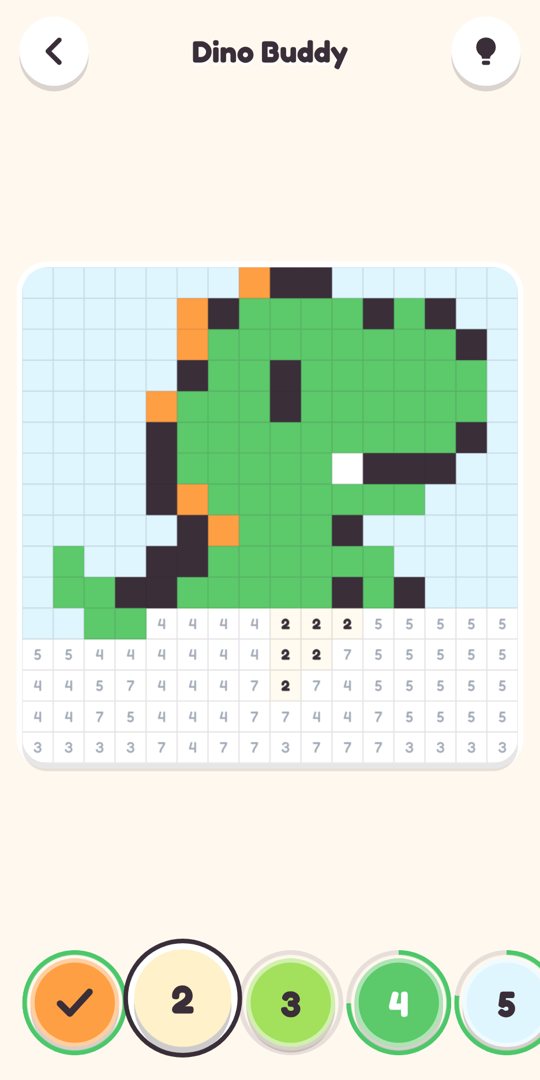
Pixel Art uses the same pictures but turns them into a 16 × 16 grid of numbered squares. The same palette, hints and swipe-to-fill work here, and the finished result looks like a retro game sprite. Children who enjoy patterns often like Pixel Art even more than the classic mode.
Mandalas for longer sessions
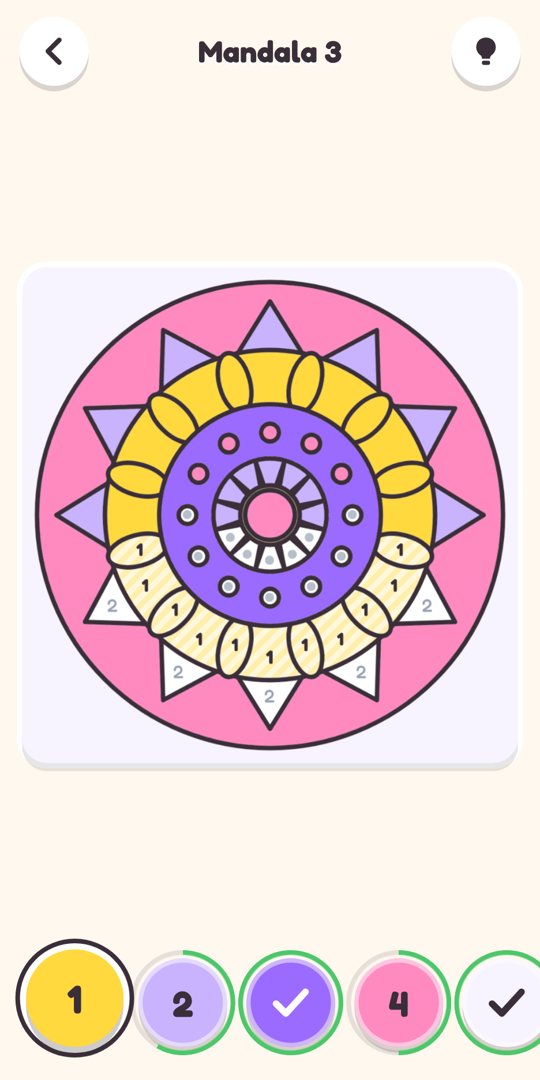
The Mandalas theme contains 40 symmetrical designs with many more spaces than the character pictures. They are a good choice for older children or for a longer, quieter session. Because each ring repeats, children quickly learn to work around the circle one color at a time.
Progress and rewards
| Moment | What happens |
|---|---|
| A space is filled | Splash animation, pop sound |
| A color is finished | Green check, next color selected |
| The picture is finished | Celebration screen, confetti, +3 stars |
| First time finishing a picture | A new sticker in the Sticker Book |
Progress is saved automatically. If your child leaves a picture halfway, a small crayon badge appears on its card, and the picture continues from the same point next time.
Which pictures to start with
For a first session, we suggest the kitty, the octopus or the hot air balloon: they have large spaces and only a few colors. After that, the vehicles and space themes add a few more colors, and the mandalas are the most detailed. Locked pictures open with stars earned from finished pictures.
Common questions
My child tapped the wrong color — is that a problem? Not at all. Nothing is lost; the game simply shows the right number.
Can we restart a picture? Finished pictures start fresh the next time they are opened, and the finished version stays in the gallery.
Does it work offline? Yes, in the Android app from Google Play.
New to the game? Start with our beginner's guide to Paint Pals, or read what we think makes a good coloring game for kids.